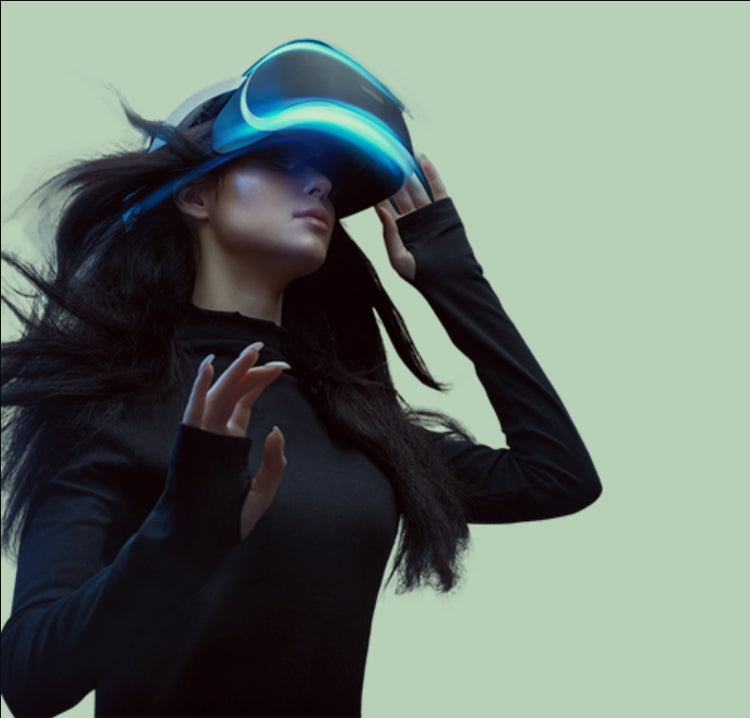

Adjustable VR Lenses for Hello Kitty Skyland Quest 3 Preview

As virtual reality continues to mature, one lesson is becoming increasingly clear: not every breakthrough comes from realism, combat, or technical spectacle. Some of the most meaningful VR experiences are the ones that simply make people feel comfortable being together.
That philosophy defines Hello Kitty Skyland, a cozy, social-first VR world developed by Thirdverse in collaboration with Sanrio. Now live in Early Access on Meta Quest platforms, Hello Kitty Skyland invites players into a low-pressure virtual space focused on movement, expression, and shared presence rather than competition or progression.
For many new VR gamers, however, comfort is not only about motion design or art style. Visual clarity plays a crucial role in whether cozy social VR actually feels relaxing. Blurry menus, eye strain, or the discomfort of wearing glasses inside a headset can quietly undermine even the most welcoming experience.
In this updated 2025 preview, we explore what Hello Kitty Skyland offers today, why it has become a strong entry point for VR newcomers, and how Adjustable Meta Quest 3 Prescription Lenses can help players enjoy social VR with clear, comfortable vision from the very first session.
Key Takeaways
- Hello Kitty Skyland is live in Early Access on Meta Quest 3, Meta Quest 3S, and Quest 2.
- The experience is free to play and designed around cozy, social interaction.
- Many new VR users experience blurry vision or eye strain during longer sessions.
- VOY Glasses Adjustable Meta Quest 3 Prescription VR Lenses offer flexible, glasses-free vision correction.
- Clear, undistorted vision is essential for enjoying social VR worlds built around presence.
What Is Hello Kitty Skyland?
Hello Kitty Skyland is best described as a cozy social VR world, rather than a conventional video game.
Instead of structured missions or win conditions, players are encouraged to:
- Enter a shared virtual space
- Meet friends or new players
- Interact with Sanrio characters
- Move, explore, and play together
- Express identity through avatars and cosmetics
There is no final objective or ending. Like a virtual park or playground, Hello Kitty Skyland is designed to be revisited casually, making it especially appealing to players who want VR without pressure or performance anxiety.
This design reflects a broader shift in VR toward persistent social environments, where value comes from presence and connection rather than completion.
Current Status: Early Access Is Live on Meta Quest
As of 2025, Hello Kitty Skyland is officially playable in Early Access on:
- Meta Quest 3
- Meta Quest 3S
- Meta Quest 2
The Early Access version focuses on core social foundations rather than large-scale content drops. Players can currently access:
- A central social hub
- Real-time multiplayer presence
- Sanrio-themed avatar customization
- A featured multiplayer activity called Sky Dash
Thirdverse has stated that this phase is about gathering player feedback, refining comfort and movement systems, and gradually expanding content toward a fuller release.
Why Free-to-Play Matters for VR Beginners
Hello Kitty Skyland launches as a free-to-play VR experience, a strategic choice that significantly lowers the barrier for first-time VR users.
For newcomers, this directly answers common concerns such as:
- Is this worth trying if I’m new to VR?
- Can I just drop in casually?
- Will this feel intense or overwhelming?
By removing upfront cost and progression pressure, the game encourages relaxed exploration. Optional in-app purchases are limited to cosmetic customization, keeping the experience accessible regardless of spending.
This low-pressure design pairs naturally with comfort-focused hardware decisions, including how clearly players see inside the headset.
Designed for VR Newcomers: Comfort Is More Than Movement
Much of Hello Kitty Skyland’s appeal comes from its emphasis on physical comfort. Movement is inspired by hand-driven locomotion systems similar to Gorilla-style VR, but softened to reduce fatigue and motion discomfort.
However, movement comfort alone does not guarantee a comfortable VR experience.
Movement Comfort vs Visual Comfort in VR
Even when motion feels smooth, many new VR gamers still experience:
- Blurry menus or distant objects
- Difficulty reading text or recognizing avatars
- Eye strain after 20 to 30 minutes
- Discomfort from wearing glasses inside the headset
These issues become especially noticeable in social VR, where players spend extended periods reading UI elements, observing avatars, and interacting at close distances.
Common Vision Problems New VR Gamers Experience
If you are new to VR, the following challenges are extremely common:
- Blurry vision, even after adjusting headset fit
- Eye fatigue during longer social sessions
- Pressure from glasses, caused by wearing frames under the headset
- Reduced immersion, due to constant visual strain
While Meta Quest headsets offer IPD and fit adjustments, they cannot correct refractive vision issues such as nearsightedness or farsightedness on their own. This is where VR Prescription Lenses become relevant.
How Adjustable Meta Quest 3 Prescription Lenses Improve VR Clarity
VOY Glasses Adjustable Meta Quest 3 Prescription VR Lenses are designed to snap directly into the headset, removing the need to wear glasses while playing.
These lenses provide precise vision correction from 0 to −6D or +3D to −3D, ensuring clear, undistorted visuals for a wide range of users. Unlike fixed prescription inserts, adjustable lenses allow users to fine-tune correction manually, making them especially practical for shared headsets.
Key Benefits of Adjustable VR Prescription Lenses
- Precise correction from 0 to −6D or +3D to −3D
- Clear, undistorted vision that reduces eye strain
- Improved VR experience during long social sessions
- Cost savings compared with buying multiple fixed prescription inserts
- One pair of lenses can be shared by multiple users
- No need to wear glasses inside the headset
Easy Installation and Adjustment
Ease of use is a core advantage of Adjustable Meta Quest 3 VR lenses:
- Snap-in mount design allows fast installation without tools
- Lenses sit securely inside the headset with no permanent modification
- Power adjustment is controlled by sliding the adjustment button up and down, allowing users to fine-tune clarity in seconds
To explore compatibility, setup instructions, and detailed specifications, visit the Adjustable Meta Quest 3 Prescription Lenses product page.
Step-by-Step: How to Fix Blurry Vision on Meta Quest 3
If Hello Kitty Skyland looks blurry or uncomfortable, follow these steps in order.
Step 1: Adjust Headset Fit and IPD
- Make sure the headset sits evenly on your face
- Adjust lens spacing using Meta Quest’s IPD controls
- Tighten straps just enough to keep the image stable
Step 2: Test Visual Clarity in a Calm Environment
Social hubs in Hello Kitty Skyland are ideal for testing vision because:
- Text and avatars are stationary
- Lighting is consistent
- There is minimal motion distraction
If text still appears unclear, vision correction may be required.
Step 3: Install Adjustable VR Prescription Lenses
- Use the snap-in mount to install the lenses
- Slide the adjustment button up or down to fine-tune clarity
- Confirm both eyes feel balanced and comfortable
For a full installation walkthrough and real-world use examples, view the Adjustable Meta Quest 3 VR lenses product page.
Why Clear Vision Matters in Cozy Social VR Games
In cozy social VR experiences like Hello Kitty Skyland, visual clarity directly affects enjoyment.
Clear vision helps players:
- Read chat bubbles and menus comfortably
- Recognize avatar details and expressions
- Navigate shared spaces without strain
- Stay immersed during longer social sessions
Because social VR encourages extended playtime, even small visual discomforts can accumulate quickly. Prescription VR Lenses help ensure the experience remains relaxing rather than fatiguing.
Tips for Comfortable Long VR Sessions
To get the most out of cozy social VR:
- Take short breaks every 30 to 45 minutes
- Keep headset lenses clean and smudge-free
- Adjust room lighting to reduce glare
- Use vision correction designed specifically for VR
These small adjustments can significantly improve comfort and immersion over time.
FAQ: VR Vision, Comfort, and Hello Kitty Skyland
Do I need glasses to play Hello Kitty Skyland on Meta Quest 3?
Not necessarily. If you normally wear glasses, you may experience blur in VR. Adjustable Meta Quest 3 Prescription Lenses provide a glasses-free alternative.
Why does VR still look blurry after IPD adjustment?
IPD settings adjust lens spacing but do not correct nearsightedness or farsightedness.
Are adjustable VR lenses better than wearing glasses under a headset?
For many users, yes. They reduce pressure, improve clarity, and feel more comfortable during long sessions.
Can multiple people use the same adjustable prescription lenses?
Yes. Because the power is adjustable, one set of lenses can be shared by users with different vision needs.
Are prescription VR lenses safe to install?
Snap-in designs are made specifically for Meta Quest headsets and do not damage the device when installed correctly.
Will prescription lenses reduce eye strain in VR?
Clear, properly corrected vision significantly reduces eye strain, especially in long social VR sessions.
Why Hello Kitty Skyland Is a Strong Entry Point for New VR Players
Hello Kitty Skyland is not trying to be the most technically impressive VR experience of 2025. Instead, it asks a more important question: What if VR felt welcoming by default?
By combining cozy social design with thoughtful comfort systems, the game has the potential to bring entirely new audiences into VR. For those players, clear vision is just as important as smooth movement.
If you plan to spend time in social VR on Meta Quest 3, exploring Adjustable Meta Quest 3 Prescription Lenses can help ensure your experience stays comfortable, clear, and enjoyable from day one.