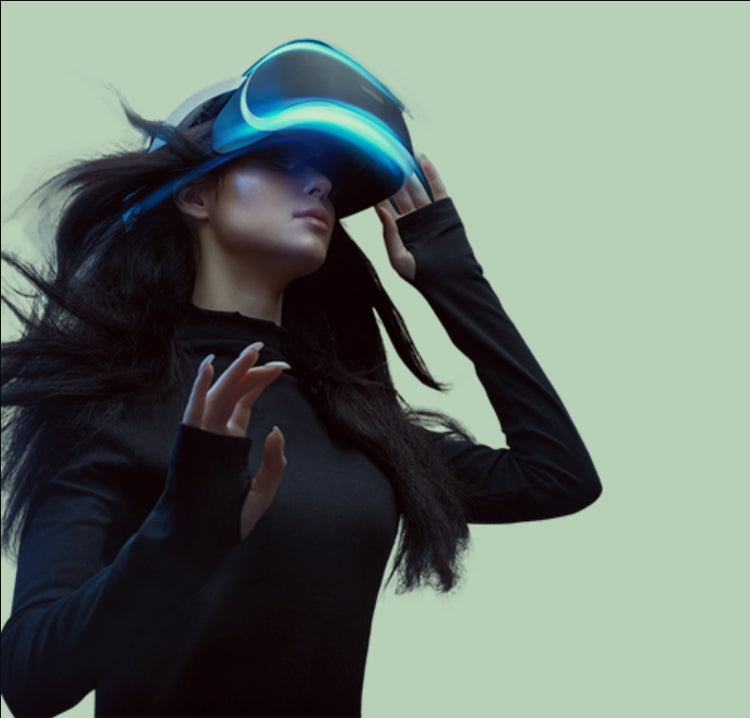

Play “Beyond Sandbox” on Meta Quest 3: Go Beyond Limits with Clarity and Performance
Virtual reality gaming is evolving fast—and one of the newest titles pushing that evolution is Beyond Sandbox, now available on the Meta Quest 3 platform.
Unlike traditional sandbox games, Beyond Sandbox is designed to be more than just a free-play environment. It blends physics-based interaction, multiplayer gameplay, and user-generated content, creating a dynamic VR world that keeps expanding every time you play.
What Is “Beyond Sandbox”?
Beyond Sandbox is a multiplayer VR modding platform powered by Unreal Engine 5. With advanced physics, detailed VR interactions and the creativity of our modding community, anything is possible.
At its core, Beyond Sandbox is a next-generation VR modding platform rather than a single fixed game.
Instead of just playing pre-built levels, you can:
-
Create your own environments and game modes
-
Explore worlds built by other players
-
Engage in multiplayer combat, co-op missions, or experiments
-
Interact with realistic physics and objects
The game includes starter modes like:
-
Competitive shooter gameplay
-
Zombie survival mode
-
Open sandbox creation
But the real value comes from its community-driven content, where “anything is possible” through mods and tools. (Steam Store)
Think of it less as a game—and more like a platform for endless VR experiences.
How to Access and Play on Meta Quest
Getting started with Beyond Sandbox on the Meta Quest 3 is simple:
1. Download from Meta Platform
-
Search for Beyond Sandbox in the Meta Quest Store or App Lab
-
Install directly onto your headset
The game is designed to run natively on Quest devices, including Quest 2, Quest 3, and Quest Pro. (Wikipedia)
2. Set Up Your Play Space
-
Clear a safe area for movement
-
Ensure proper lighting for tracking
-
Adjust headset fit and IPD
3. Choose Your Experience
Once inside, you can:
-
Jump into prebuilt modes (shooter, survival)
-
Join multiplayer sessions
-
Load community-created worlds
4. Experiment and Create
Use in-game tools to:
-
Build environments
-
Spawn objects and weapons
-
Customize interactions
This is where Beyond Sandbox truly shines—you’re not just playing, you’re creating.
Play with Friends: A Social VR Experience
One of the biggest strengths of Beyond Sandbox is multiplayer interaction.
You can:
-
Join friends in shared worlds
-
Collaborate on building projects
-
Compete in combat scenarios
-
Explore user-generated experiences together
Because the game supports online multiplayer and co-op modes, it becomes a highly social experience—perfect for households or group play. (Steam Store)
The Hidden Challenge: Vision and Clarity
While Beyond Sandbox offers rich interaction and realism, it also demands:
-
Precise aiming
-
Reading small UI elements
-
Fast reaction times
-
Long gameplay sessions
Any visual imperfection—blur, discomfort, or misalignment—can directly impact your performance.
Share Seamlessly with Adjustable VR Lenses
This is where adjustable (tunable) VR lenses make a real difference.
Instead of:
-
Swapping prescription inserts
-
Wearing glasses inside the headset
-
Or dealing with suboptimal vision
You can simply adjust the lens power instantly.
Why It Matters for “Beyond Sandbox”
1. Easy Sharing with Friends
Multiple players can use the same Meta Quest 3:
-
Each person adjusts the lens to their vision
-
No downtime switching inserts
-
No compromise on clarity
Perfect for:
-
Multiplayer sessions at home
-
Demo environments
-
Social VR gaming nights
2. Clear Vision = Better Gameplay
In a physics-based, interactive game like Beyond Sandbox:
-
Sharper visuals improve aiming accuracy
-
Clear depth perception enhances interaction
-
Better focus reduces reaction time
This translates directly into:
-
Higher scores
-
Better competitive performance
-
More immersive gameplay
3. Longer, More Comfortable Sessions
Adjustable lenses reduce:
-
Eye strain
-
Fatigue
-
Constant repositioning
So you can stay immersed longer—especially important in a game built around exploration and creation.
Final Thoughts
Beyond Sandbox represents a new direction for VR:
-
Not just playing games
-
But building and sharing experiences
On the Meta Quest 3, it unlocks a world where creativity meets interaction—and where every session can be different.
To fully enjoy it, though, one thing is essential:
Clarity.
With adjustable VR lenses, you can:
-
Share seamlessly
-
See clearly
-
Perform better
Because in a world where anything is possible: how clearly you see defines how far you can go.